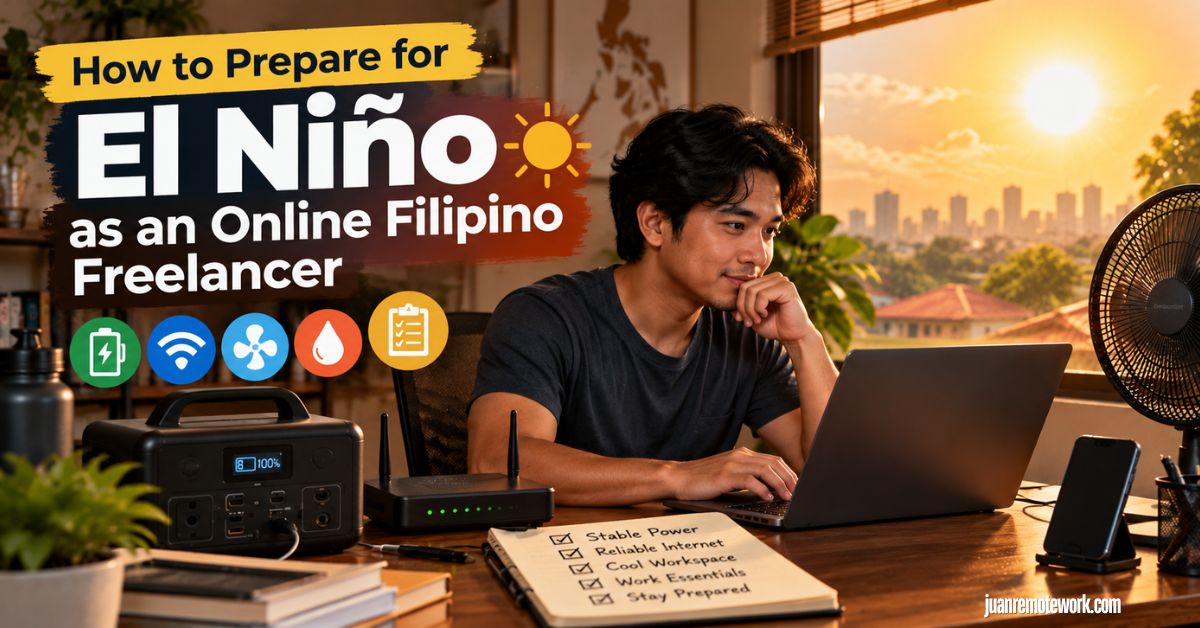
How to Prepare for El Niño as an Online Filipino Freelancer

El Niño isn’t new to the Philippines. We’ve experienced its extreme heat and dry conditions before, along with the problems they can bring to our water and electricity supply.
Pero kung online freelancer ka, there’s another concern: your home is also your workplace.
Brownouts can interrupt your shift, unstable internet can affect client work, and hotter days can make working and even sleeping harder, especially for night-shift freelancers.
Kaya preparing for El Niño isn’t just about dealing with the heat. It’s also about protecting your ability to work and earn.
In this guide, we’ll cover how you can prepare for El Niño as an online Filipino freelancer and keep working when these disruptions happen.
Should You Prepare for El Niño as a Freelancer Living in the Philippines?
Yes. May history na ang Philippines of experiencing severe El Niño events and their consequences.
That’s why El Niño isn’t something to brush off as “mas mainit lang ngayon.” Past events show how prolonged and disruptive its effects can become when conditions are severe.
And kung online freelancer ka, those disruptions can eventually reach the resources and conditions you rely on to earn from home.
We’ll break down exactly how El Niño can affect your freelance work next.
What Happens If You Don’t Prepare for El Niño as a Filipino Remote Worker?
Hindi naman ibig sabihin na hindi ka na makakapagtrabaho once El Niño hits. The bigger problem is being caught unprepared when its effects start disrupting your normal work setup.
Here are the consequences you may face:
You May Not Be Able to Work During Power or Internet Interruptions
Kung wala kang backup power or internet, even a temporary disruption can stop you from working, attending meetings, or submitting tasks on time.
This becomes a bigger problem if the interruption lasts for several hours and you don’t have another place where you can continue working.
Your Income and Client Relationships May Be Affected
Missed deadlines, meetings, or working hours can eventually affect how much you earn, especially if you’re paid hourly or based on completed work.
And if disruptions happen repeatedly without a backup plan, they can also affect how reliably you’re able to deliver work for your clients.
Extreme Heat Can Affect Your Health and Productivity
Hindi lang equipment ang kailangang gumana. You also need to be physically comfortable enough to work.
Long periods of extreme heat can make working and sleeping more difficult, particularly for night-shift freelancers who sleep during the hottest part of the day. If you’re already tired or uncomfortable before your shift starts, staying productive becomes much harder.
Fortunately, marami sa mga risks na ito can be reduced with a little preparation. So, let’s go through how you can prepare for El Niño as an online Filipino freelancer and keep your work running when disruptions happen.
How to Prepare for El Niño as an Online Filipino Freelancer
Ang goal isn’t to prepare for every possible problem. It’s to make sure you can still work when your usual setup gets disrupted.
Start with the essentials that keep you online and productive, then build your backups from there.
Here’s how to do it step by step.
Step 1: Figure Out What You Absolutely Need to Work
Unahin muna natin ang pinaka-basic: ano ba talaga ang kailangan mo para makapagtrabaho?
For most online freelancers, your essentials are probably something like:
- Laptop or desktop computer
- Internet connection
- Phone
- Basic cooling, such as a fan
Everything else may be helpful, but not necessarily essential.
For example, baka ang normal setup mo ay laptop + 27-inch monitor + speakers + desk lamp + aircon + other accessories.
That’s perfectly fine habang may kuryente.
Pero kapag brownout, you don’t necessarily want all of those running from your backup power.
Your emergency setup could simply be:
Laptop + internet + phone + rechargeable fan
Think of this as your minimum viable workstation.
The goal is simple: if electricity suddenly disappears, you already know which devices need to stay on and which ones you can temporarily live without.
Step 2: Prepare for Short Brownouts First
Hindi naman lahat ng brownout aabot nang ilang oras.
Sometimes the electricity goes out for a few minutes or an hour, then comes back. You don’t necessarily need a huge backup power system for situations like these.
If you’re using a laptop, may built-in battery ka na. The bigger problem may actually be your internet because your modem, router, or fiber ONT usually shuts down the moment electricity disappears.
That’s where a compatible mini UPS for your internet equipment can be useful.
For short outages, your setup could look like:
Laptop battery + router/ONT UPS + charged phone + power bank
You can continue working without immediately touching your larger backup power source.
Make it a habit din na charged ang laptop and phone mo before your shift, especially if there are power advisories or unstable electricity in your area.
And don’t forget the boring stuff: autosave your work, keep important files synced, and save regularly.
Mas madaling problema ang brownout kaysa brownout plus three hours of unsaved work na biglang nawala.
Step 3: Prepare Backup Power for Longer Brownouts
Dito na papasok ang bigger backup power.
If electricity is gone for four, six, or even eight hours, your laptop battery and small UPS probably won’t be enough.
A portable power station can help, but don’t buy one based purely on the biggest number written on the box.
There are two numbers worth understanding:
Watts (W) tell you how much power the unit can supply at once.
Watt-hours (Wh) tell you roughly how much energy it can store.
For brownout preparedness, Wh is especially important because it helps determine how long your equipment can keep running.
Let’s say your emergency workstation consumes roughly:
- Laptop: 40W
- Internet equipment: 15W
- Small fan: 15W
That’s around 70W while everything is running.
If you wanted to power that setup for eight hours:
70W × 8 hours = 560Wh
In real life, you’ll also need to account for conversion losses and some reserve capacity, so don’t assume a 560Wh battery automatically gives you exactly eight hours.
Most importantly, calculate based on your own equipment.
A freelancer using a MacBook will have very different requirements from someone running a desktop PC, two monitors, and other peripherals.
Step 4: Create a Low-Power Brownout Mode
Kapag limited ang backup power mo, treat every watt-hour like money.
You don’t want to spend it on things you don’t actually need.
Let’s say your normal setup includes:
Laptop + monitor + speakers + lights + router + aircon
During a long brownout, switch to:
Laptop + router + rechargeable fan
Turn down your screen brightness. Disconnect unnecessary USB devices. Turn off the external monitor if you can work without it.
And don’t expect a modest portable power station to run your aircon for an entire shift. Cooling appliances can require far more electricity than a laptop, router, or small fan.
Your objective during a brownout isn’t to recreate your normal office perfectly.
It’s to stretch your available power long enough to finish important work.
Step 5: Set Up Backup Internet Before You Need It
Okay ang backup power mo. Pero paano kung internet naman ang mawala?
That’s why your internet connection also needs redundancy.
A simple setup could be:
Primary connection: Home fiber
Backup connection: Mobile data through your phone or pocket WiFi
Kung kaya, it also helps if your backup connection isn’t dependent on exactly the same network as your primary connection.
But here’s the important part:
Test your backup internet beforehand.
One normal workday, disconnect from your WiFi and try using only your mobile hotspot.
Can you:
- Open Google Docs?
- Access Slack or your project management software?
- Join Google Meet or Zoom?
- Use WordPress?
- Upload a large file?
- Send messages to clients?
- Access whatever software you use every day?
Check the signal in your actual workspace too.
Walang silbi ang backup SIM na mabilis daw sa labas pero one bar lang pala kapag nasa kwarto ka.
Also keep enough prepaid data or credit available. You don’t want to be scrambling to buy a promo habang naghihintay na ang client mo sa Zoom.
Step 6: Make Sure You Can Still Work Offline
May mga pagkakataon din na wala talagang internet, including your backup.
So ask yourself:
What work can I continue doing offline?
If you’re a writer, SEO specialist, designer, developer, VA, or similar knowledge worker, chances are may portions ng trabaho mo that don’t require a constant internet connection.
You may still be able to:
- Write drafts
- Edit documents
- Organize notes
- Prepare outlines
- Work on downloaded spreadsheets
- Review previously downloaded materials
- Prepare deliverables for upload later
Download important files before you need them and use software with offline functionality where possible.
That way, an internet outage doesn’t automatically mean zero productivity until the connection returns.
Step 7: Prepare Your Workspace for Extreme Heat
Hindi lang brownout ang problema sa El Niño.
Even when your electricity and internet are working perfectly, extreme heat can make it difficult to concentrate, work, and sleep.
PAGASA expects El Niño to increase the likelihood of warmer conditions across much of the Philippines, while DOH warns that high heat index conditions increase the risk of dehydration, heat cramps, heat exhaustion, and heat stroke.
So prepare your workspace too.
Block direct sunlight where possible. Improve airflow. Use curtains or blinds on windows receiving strong sunlight. Keep a fan nearby even when you’re using air conditioning.
If you use an AC, you don’t necessarily have to make your room freezing cold. The objective is to make your workspace comfortable enough to work without unnecessarily increasing electricity consumption.
And always keep drinking water nearby.
Madaling sabihin na “mamaya na ako iinom” kapag busy ka sa deadline, tapos hindi mo namamalayan ilang oras ka nang nakaupo sa harap ng computer.
DOH advises drinking adequate water and taking precautions against prolonged heat exposure. Symptoms such as dizziness, nausea, fever, hot or red skin, and unconsciousness can indicate serious heat illness; suspected heat stroke requires urgent medical attention.
Step 8: If You Work Night Shift, Prepare for Daytime Sleep Too
Ito ang madaling makalimutan ng freelancers working with US or European clients.
Maybe okay ka habang nagtatrabaho from 10 PM to 6 AM.
Ang problema?
Matutulog ka naman during the hottest part of the day.
If your room becomes extremely hot around noon or afternoon, poor sleep can eventually affect your focus and performance during your next shift.
So don’t prepare only for your working hours.
Think about your sleeping environment too.
Blackout curtains can help block sunlight. Improve ventilation where possible. If you use AC, consider how you can cool the room efficiently around your sleep schedule.
And have a rechargeable fan ready.
Imagine mawalan ng kuryente at 1 PM habang tulog ka after working the whole night. Your laptop battery isn’t the problem anymore. The heat is.
For night-shift freelancers, sleep continuity should be part of your El Niño plan.
Step 9: Protect Your Equipment and Your Work
Laptop mo ang isa sa mga pangunahing pinagkakakitaan mo, so treat it accordingly.
Power interruptions can be annoying, but losing important work or damaging equipment can become much more expensive.
Depending on your setup, consider proper surge protection and a UPS, especially for desktop computers and equipment that cannot simply switch over to an internal battery.
Keep laptops and desktops well ventilated too. Don’t block their vents, and avoid leaving electronics under direct sunlight or in unnecessarily hot spaces.
Then protect the data inside them.
Use:
- Autosave
- Cloud storage
- Regular backups
- Offline copies of important files when necessary
If your laptop suddenly dies tomorrow, ask yourself:
Gaano katagal bago ako makakabalik sa trabaho?
If the answer is “Hindi ko alam because nandun lahat ng files ko,” that’s another vulnerability worth fixing before an emergency happens.
Step 10: Prepare the Household Basics Too
Freelancer ka, pero syempre tao ka muna bago worker.
If El Niño contributes to prolonged dry conditions in your area, water availability and other household needs may become more important. PAGASA specifically warns that prolonged rainfall deficits can put stress on water resources.
Keep a reasonable supply of drinking water at home and some utility water where appropriate.
You may also want basic emergency supplies such as:
- Flashlights or rechargeable lights
- Drinking water
- Easy-to-prepare food
- Basic first-aid supplies
- Essential medicines
- Emergency cash
Hindi kailangan mag-hoard.
The idea is simply that a temporary interruption shouldn’t immediately force you to abandon everything and go shopping for basic necessities.
Step 11: Identify a Backup Place Where You Can Work
At some point, magiging impractical na rin ang pilitin mag-work from home.
Maybe:
- Eight hours nang walang kuryente.
- Mahina na ang backup battery.
- Down din ang fiber.
- Sobrang init sa bahay.
- May important client meeting ka in one hour.
That’s when Plan B becomes leaving the house.
Identify at least one place you can work from beforehand.
It could be a:
- Coworking space
- Café
- Friend or relative’s house
- Hotel
- Other reliable workspace
Pero huwag basta isipin na “May café naman malapit.”
Check it before you need it.
Does it have reliable WiFi?
Are there outlets?
Does mobile data work there?
Can you take calls without disturbing everyone?
What time does it close?
And if you’re a night-shift freelancer, open ba siya at 2 AM?
Knowing your backup location beforehand saves you from figuring all of this out while your laptop is sitting at 15%.
Step 12: Prepare for Client Disruptions
Kahit gaano ka ka-prepared, there may eventually be a situation where you simply can’t work normally.
That’s okay. What matters professionally is how you handle it.
If you know an outage is likely to affect a deadline or meeting, don’t disappear and wait for your client to ask where you are.
Message them early.
Keep it simple:
Hi [Name], just a heads-up that we’re currently experiencing a local power interruption. I’m working through my backup setup at the moment, but there may be some disruption if the outage continues. I’ll let you know immediately if it affects today’s deadline.
You don’t need to write an essay explaining El Niño.
Tell them:
What’s happening → whether work is affected → what you’re doing about it → when they can expect another update.
And if the brownout lasted five minutes and nothing was affected?
No need to announce every power interruption either.
Communicate when there’s something the client actually needs to know.
Step 13: Set Aside a Small Work-Continuity Fund
May gastos din ang pagiging prepared.
Maybe you suddenly need:
- Extra mobile data
- Coworking access
- Transportation
- A replacement charger
- A new power bank
- Temporary accommodation
- Emergency equipment repair
Instead of pulling money from your normal monthly budget every time something happens, consider maintaining a small work-continuity fund.
This doesn’t necessarily need to be huge.
Its purpose is simply to answer:
If something prevents me from working from home tomorrow, do I have enough money to solve the problem quickly?
For freelancers, that’s an emergency fund specifically designed to protect your ability to earn.
Step 14: Run a Test Before an Actual Emergency
Ito siguro ang pinaka-importanteng step after buying and preparing everything.
Test your setup.
Pick a day when you don’t have anything extremely important scheduled.
Then pretend may brownout.
Unplug your normal workstation from the wall.
Turn off your primary WiFi if you want to test the full setup.
Now try working for a few hours using only your:
Laptop + backup power + backup internet + rechargeable fan
You’ll quickly find the weak points.
Maybe your router UPS only lasts two hours.
Maybe your mobile signal is terrible inside your office.
Maybe your power station drains much faster than you expected.
Maybe you forgot that one essential device can’t run from your backup setup.
Maybe your hotspot works fine for Google Docs but struggles during video calls.
Mas magandang malaman mo lahat ng ‘yan during a test kaysa habang may deadline ka.
Once you’ve done the test, fix whatever didn’t work.
Then you no longer have a collection of emergency gadgets.
You have an actual work-continuity system that you already know how to use.
And that’s ultimately the goal.
Hindi natin kailangang gumawa ng setup na kayang gawing completely normal ang buhay kahit may El Niño, brownout, or internet outage.
Ang kailangan natin is enough redundancy that when one thing fails, may next option ka agad:
Grid power → backup power
Fiber → mobile data
Normal workstation → low-power workstation
Work online → continue offline
Home office → backup workplace
And if none of those options work, you already know how to communicate the situation to your clients.
Mas mahirap kontrolin ang weather. Pero puwede nating bawasan kung gaano kalaki ang epekto nito sa trabaho at income natin.
Things to Keep in Mind as an Online Filipino Freelancer Preparing for El Niño
Hindi pare-pareho ang needs ng bawat freelancer. Your preparation should depend on your work setup, budget, location, and the problems most likely to interrupt your work.
With that in mind, here are five things worth remembering.
You Don’t Have to Buy Everything at Once
Hindi kailangan gumastos agad ng malaki para maging prepared.
Start with your biggest vulnerability. If unreliable internet is your main problem, prioritize backup connectivity. If brownouts are more common, focus on backup power. If extreme heat is the bigger concern, prioritize cooling and hydration.
Build your setup gradually based on what can actually stop you from working.
Your Backup Power Doesn’t Have to Last All Day
Hindi lahat kailangan ng power station that can run an entire eight-hour shift.
If you have a reliable coworking space nearby, a few hours of backup power may be enough to finish urgent work and give you time to relocate.
But if you work overnight or have limited alternatives nearby, longer runtime becomes more important.
Base your backup power on your essential devices, expected outage duration, and access to another workplace.
Know When It’s Better to Leave Home
Hindi kailangan ubusin ang backup power mo bago lumipat somewhere else.
If your battery is getting low, mobile internet is unstable, the room is becoming too hot, or you have an important meeting coming up, relocating may be the better option.
Set your own threshold beforehand. Your backups should give you time to switch to Plan B, not force you to stay home until everything runs out.
Keep Some Money Available for Work Disruptions
Hindi lang equipment ang kailangan mong paghandaan.
An outage might mean paying for extra mobile data, transportation, coworking access, equipment repair, or another temporary workplace.
Consider keeping a small work-continuity fund and ask yourself:
If I couldn’t work from home tomorrow, how much would I need to keep working somewhere else for a day or two?
You don’t need another huge emergency fund. You just need enough flexibility to solve a temporary work problem without immediately losing income.
Keep Monitoring Local Conditions
Hindi natatapos ang preparation after buying your backup equipment.
Monitor PAGASA for weather, heat, and El Niño updates, plus your electricity provider, water district, ISP, and LGU for local interruptions and advisories.
This becomes especially useful before important deadlines or meetings. If you already know there’s a scheduled power interruption tomorrow, you can charge your equipment, prepare your backup internet, or work somewhere else before the outage even starts.
Ultimately, being prepared doesn’t mean making every El Niño-related disruption disappear.
It means knowing your vulnerabilities, having a backup when something fails, and knowing when it’s time to use it.
Conclusion
Hopefully, this guide helps you prepare for El Niño without feeling like you need to solve everything at once.
Start with the risks most likely to affect your work, build your backups gradually, and test them before you actually need them. Good luck with your preparations, and hopefully, you can keep working safely and reliably even when conditions become challenging.
If you’d like to read more of what we cover, you can explore our blog for more practical guides and insights. You can also learn more about what we do or get in touch with us if there’s something you’d like to discuss.
Ingat, stay prepared, and good luck with your work!
FAQs
How long does El Niño usually last in the Philippines?
El Niño can last several months or longer. Kaya it’s best to follow PAGASA’s latest advisories rather than prepare for just a few weeks of hotter weather.
Does El Niño mean there will be no rain in the Philippines?
Hindi. El Niño can increase the likelihood of below-normal rainfall, but heavy rain, tropical cyclones, and flooding can still happen.
Does El Niño automatically mean there will be brownouts?
Hindi automatic. El Niño can put additional pressure on electricity supply, but that doesn’t mean every area will experience power interruptions.
Do I need a power station to prepare for El Niño?
Not necessarily. Kung short brownouts lang ang concern mo, a charged laptop, router UPS, power bank, and backup internet may already be enough.
Can I use a power station to run my air conditioner during a brownout?
Possible, but air conditioners require much more power than laptops, routers, and small fans. For most freelancers, mas practical i-reserve ang backup power for essential work equipment.
Is mobile data enough as backup internet for freelancing?
It can be, depending on your work and signal quality. Test it beforehand to make sure kaya nitong i-handle ang important tasks mo, especially video calls and file uploads.
Should I tell my clients that El Niño is affecting my area?
Only if it may affect your availability, meeting, or deadline. Hindi kailangan mag-update sa bawat brownout, but communicate early when client work could actually be affected.
Can extreme heat damage my laptop or computer?
Yes, excessive heat can affect performance and potentially shorten the life of your equipment. Keep your computer properly ventilated and away from direct sunlight.
Should freelancers still prepare for floods and typhoons during El Niño?
Yes. El Niño doesn’t mean mawawala na ang heavy rain, tropical cyclones, or flooding, so keep your usual emergency preparations in place.
What should I prioritize if I can’t afford a complete El Niño backup setup?
Unahin ang problem most likely to prevent you from working, such as unreliable electricity or internet. Build the rest of your backup setup gradually as your budget allows.